
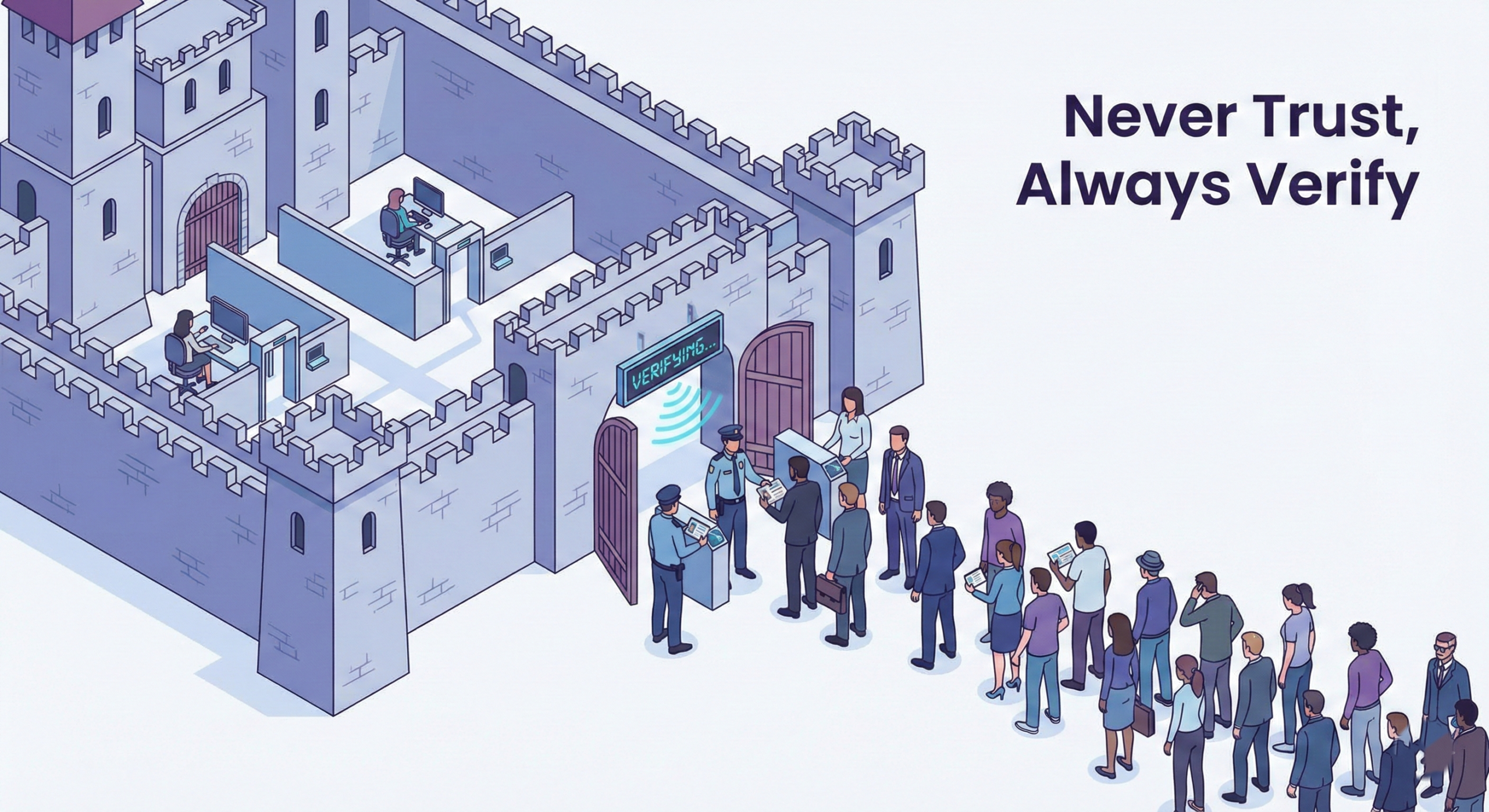
However, cyberattacks have never been as rampant as they are today. Traditional security features are no longer enough. Many organizations once presumed that everything inside their network could be trusted. That is no longer the case. This beginner’s guide to the zero trust security model explains how modern cybersecurity works. It also shows why “never trust, always verify” is the new norm.
Whether you are a remote worker, a small business owner, or a tech novice, Zero Trust helps. Understanding its concepts, therefore, makes you much more aware of your digital safety.
Defining Zero Trust Security Model.
The Zero Trust security model is a form of cybersecurity. It assumes that no user, device, or system should be trusted, even inside the company network.
Instead of granting access at login, the system authenticates identity and permissions for every request.
Significant Principles of Zero Trust Security.
Never trust by default
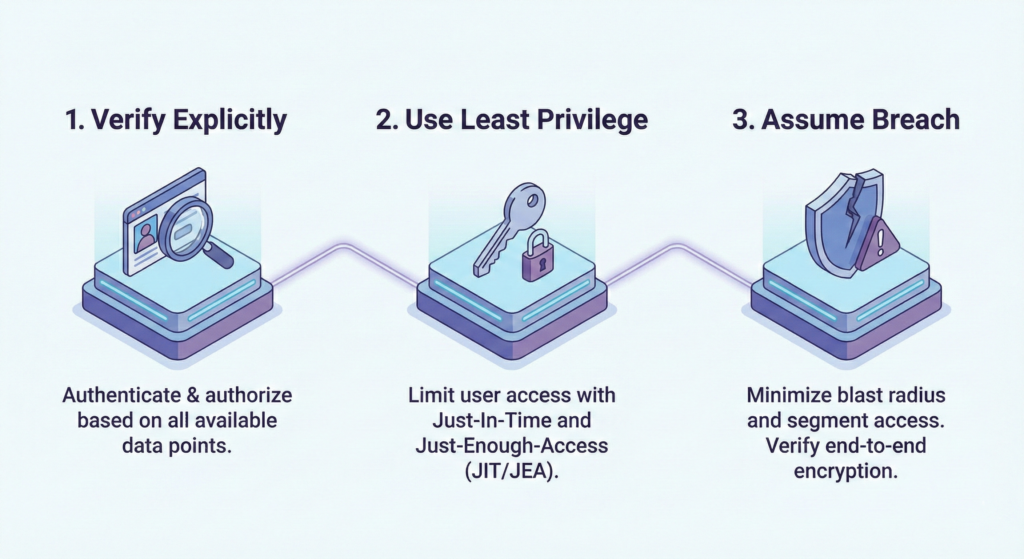
Check the identity and health of the device.
Restrict access to minimal privilege.
On-the-fly activity monitoring.
Overall, this method reduces the chances of information leaks and insider attacks.
The Cause of the Traditional Security Model Not Working Anymore.
Past security systems rested on a strong perimeter, like a castle wall. Once inside, users normally had broad access.
However, new places of work are not alike:
Remote work is common
Cloud apps are everywhere
The employees use personal devices.
There are more advanced cyberattacks.
That is why organizations need stronger protection, and that is where Zero Trust architecture comes in.
The Zero Trust Security Model Operation.
Zero Trust verifies and approves every request before granting access.
Identity Verification
Authentication of his identity: Any user must authenticate his identity:
Multi-factor authentication (MFA).
Biometric login
Secure passwords
Device Security Checks
The systems verify that:
The device is equipped with updated software.
Antivirus is enabled.
The operating system is safe.
Least Privilege Access
Users can access only what they really need.
For example:
Any marketing employee does not need to have access to financial systems.
A contractor can only grant access to one application.
Continuous Monitoring
The system also monitors behavior after access is granted, to spot abnormal activity.
Zero Trust Benefits to Non-Technical Individuals and Businesses.
There are several advantages of a Zero Trust framework.
Stronger Data Protection
Minimizes damages caused by stolen credentials.
Reduces internal threats
Better Remote Work Security
It also protects cloud applications and mobile devices.
Guarantees the remote working environment.
Improved Compliance
Helps organizations meet current cybersecurity requirements.
Provides detailed audit trails.
Simple Zero Trust Security How to Start with Zero Trust.
You do not have to have a huge IT division to begin to apply the ideas of Zero Trust. These are casual, newbie-friendly steps.
The initial procedure in the process is to do MFA.
This provides an extra layer of security in the case of passwords.
Action Plan 2: Use Formidable Access Control.
Role-based access control.
Step 3: Monitor Login Activity
Watch for suspicious locations or devices on accounts.
Step 4: Secure Endpoints
Service laptops, smartphones, and tablets.
Step 5: Educate Users
Training employees to detect phishing attacks also strengthens the Zero Trust strategy.
Zero Trust Security Misconceptions.
Beginners often think Zero Trust is complex or expensive. That is not always the case.
Myth 1: Zero Trust is Zero Access.
Reality: It is only checking and allowing entry.
Myth 2: It Is Necessary in Large Companies Only.
Reality: Remote workers and small enterprises benefit greatly.
Myth 3: It Replaces All the Security Tools.
Reality: Zero Trust works together with firewalls, antivirus applications, and cloud security applications.
Best Practices when designing a Zero Trust Strategy.
To ensure your security model is effective, the following tips are feasible:
Implement secure identity management tools.
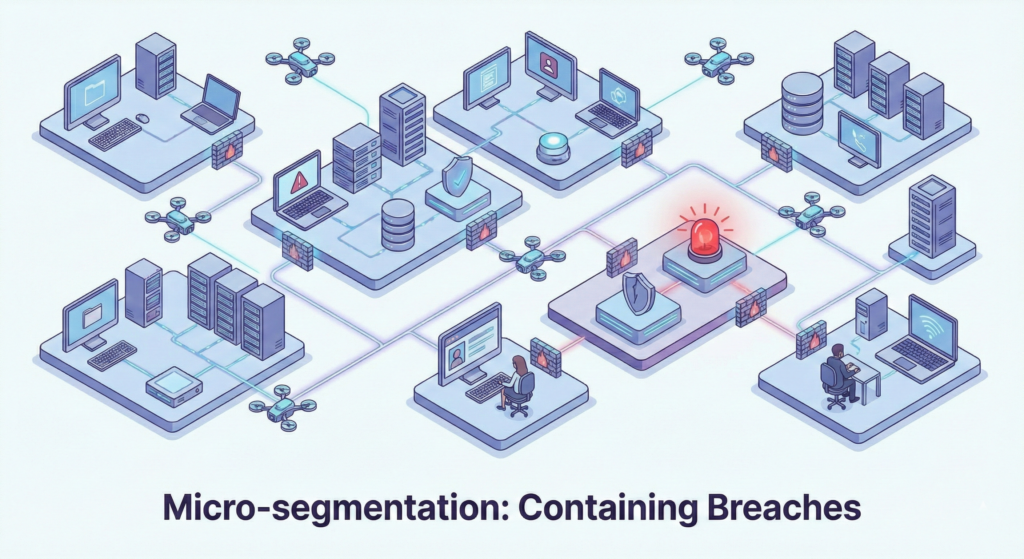
Segment networks to prevent movement between systems.
Encrypt confidential information.
Periodically check access privileges.
Automate security alerts.
As a result, such moves build a more effective cybersecurity posture over the long term.
Conclusion
This beginner’s guide to the zero trust security model shows that modern cybersecurity is not about walls. It is about verifying every request. By following Zero Trust principles — identity verification, least-privilege access, and round-the-clock monitoring — you reduce risk. You also prevent many common attacks.
Fortunately, getting started is not technically intensive. Basic actions such as multi-factor authentication, device care, and activity monitoring bring you closer to a safer online world.
Frequently asked question (FAQ)
Possibly in the simplest terms, what is Zero Trust?
Zero Trust means never trusting a user or device by default. Every access request must be verified before authorization.
Is Zero Trust security applicable only in large organizations?
No. Small businesses, freelancers, and remote workers can also use Zero Trust practices.
Is Zero Trust a replacement for firewalls or antivirus packages?
No. Zero Trust works alongside existing tools to build a stronger, layered security system.
Which is the ultimate advantage offered by Zero Trust architecture?
It reduces the chance of a data breach. Only authorized users can access the data, and the system also monitors their activity.
How do novices start using Zero Trust?
Start with ensuring that you have multi-factor authentication, user permissions, updated devices, and frequently monitor user activity.