
Your keyboard feels fine. Then you type on a friend’s desk for ten minutes.
Suddenly your own keys feel soft, loud in the wrong way, and tiring. Sound familiar?
That moment sends a lot of people shopping. It also sends them into a wall of jargon. Switch colours, sizes like 75%, hot-swap boards, and prices that jump fast.
This guide on how to choose a mechanical keyboard cuts through that noise. You will learn what actually matters, what is just decoration, and how to pick a board that fits your desk and your day.
Do you even need a mechanical keyboard?
Let’s be honest first. Not everyone does.
If you type short emails and browse a bit, your current keyboard may be enough. A new board will not fix slow Wi-Fi or a cramped desk.
But some people feel the difference every single day. Think of a student who writes long assignments at night. Or a clerk who types reports for six hours straight.
For them, key feel is not a hobby detail. It shapes comfort, speed, and how tired their hands feel by evening.
Gamers sit in another camp. Fast, repeated key presses matter in tight moments. So does a board that does not miss inputs when things get busy.
So ask one simple question before you spend anything. Do I type or play enough that I will notice better keys every day? If the answer is yes, keep reading.
How to choose a mechanical keyboard: start with the switches
Switches are the small parts under each key. They decide how a press feels and how it sounds.
Forget brand hype for a minute. Almost every switch falls into one of three families.
Linear switches: smooth and quiet-ish
Linear switches go straight down. There is no bump in the middle.
The press feels smooth from top to bottom. Many gamers like that, because repeated presses feel fast and clean.
Picture a player tapping movement keys in a fast match. A smooth press, with nothing in the way, just feels direct.
Tactile switches: a small bump you can feel
Tactile switches give you a gentle bump as the key registers. That bump tells your finger, yes, that press counted.
You get feedback without a loud click. That is why tactile switches suit long typing days and shared rooms so well.
A writer working next to a sleeping baby, for example, can still feel each press. The room stays quiet, though.
Clicky switches: bump plus a clear click
Clicky switches add sound on purpose. You feel the bump, and you hear a sharp click too.
Some people love that old typewriter feel. Their desk mates often do not.
So be real about your space. A clicky board in a shared office or a family room can become a problem in one day.
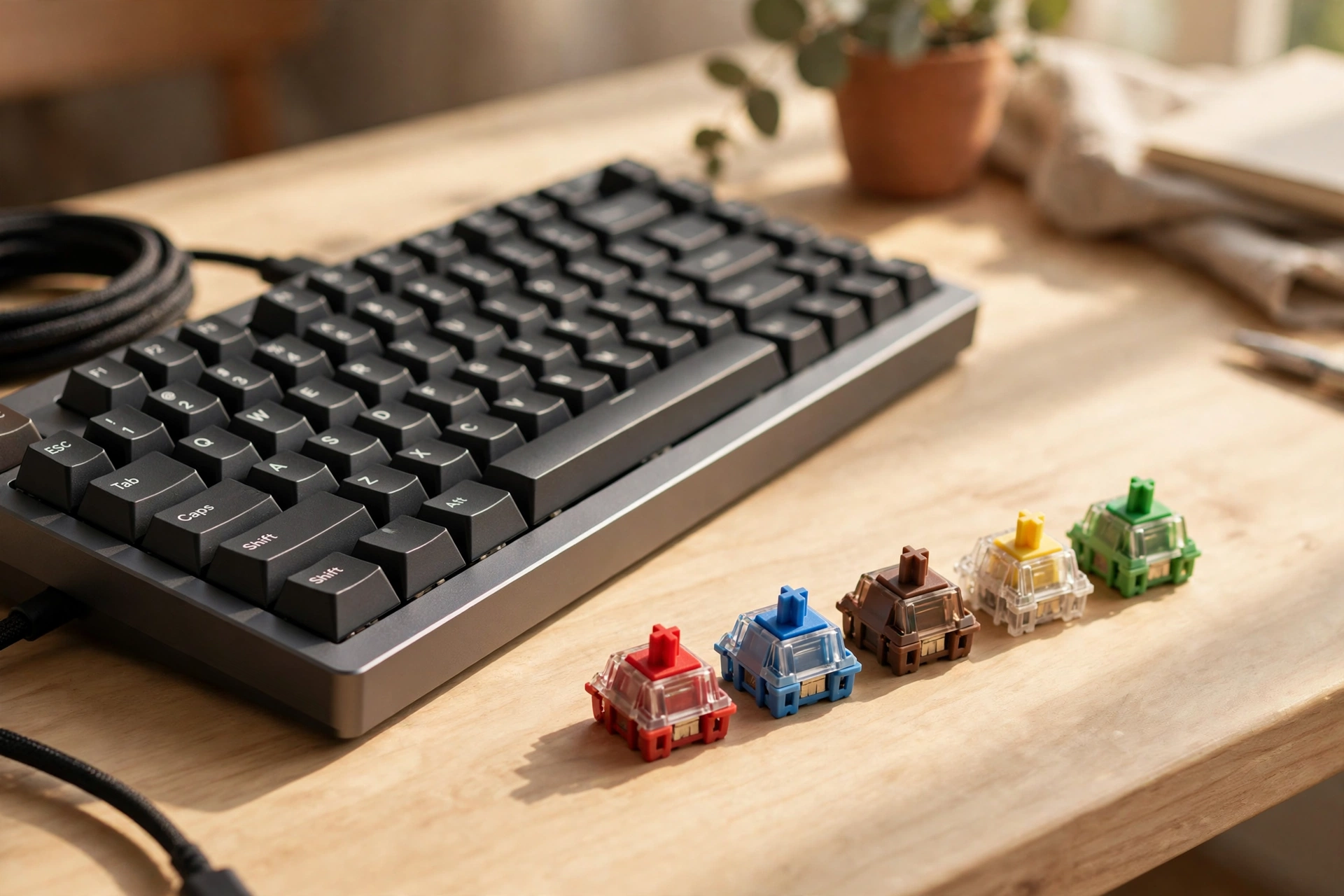
Switch maker CHERRY explains its MX switch families in the same plain way. Red is linear, Brown is tactile and quieter, and Blue is tactile with a click.
One more point matters here. Sound does not come from switches alone. Your desk, the board’s case, and the keycaps all change the final noise.
Size and layout: the choice people regret most
Here is where many buyers go wrong. They fall for a tiny, cute board, then miss keys they use every day.
Full-size boards
A full-size keyboard has everything. You get the number pad, the function row, and all the usual keys.
It suits desk work with numbers. Think of someone entering marks, bills, or stock counts all day. That side pad saves real time.
The cost is space. A big board pushes your mouse further out, and your shoulder feels that over weeks.
Tenkeyless and 75% boards
Tenkeyless boards drop the number pad. You keep most other keys, and your desk breathes again.
Compact 75% boards go further. They pack the main keys in tight, so the board stays small. Your mouse sits closer, which many people find comfier.
But there is a catch. Some keys share layers or sit in new spots. That takes a week or two to learn.
Small boards for small desks
Very small boards look clean in photos. In daily use, though, missing arrow keys or function keys can slow you down fast.
My honest take? Go compact, not tiny, for your first board. You keep the keys you need, and you still save space.
If you are also weighing a bigger desk setup, our guide to best laptops for gaming vs. work helps you plan the whole desk, not just one part of it.
Wired or wireless: pick for your real day
Wired boards are simple. You plug in, and you type. There is no battery to charge and no pairing to fix.
Wireless boards free your desk. They also travel better between rooms or devices.
Picture a content creator at a small desk. The camera, mic, and lights already crowd the space. One less cable is not a small thing there.
If that setup sounds like yours, you may also like our round-up of gadgets for content creators. It covers the rest of that desk.
Still, wireless has trade-offs. You must charge the board. Cheap wireless can also lag or drop out, though good boards rarely do.
So match the choice to your habit. Desk stays in one place? Wired is fine. Desk changes often? Wireless earns its price.
Extras that matter, and extras that don’t
Shops love long feature lists. Only a few extras change your daily use, though.
Hot-swap: the one extra worth caring about
A hot-swap board lets you pull switches out and push new ones in. You need no soldering tools.
Why does that matter? You can start with one switch type, then change later if your taste shifts. One faulty switch also stops being a dead board.
Keycaps and build
Keycaps are what your fingers touch all day. Thicker, textured caps usually feel better and wear slower than thin, shiny ones.
The case matters too. A solid case feels firm and sounds deeper. A light plastic case can feel hollow, even with good switches.
Backlighting: useful, not vital
A simple white backlight helps in a dim room. Full colour lighting looks fun, but it does not help you type better.
Pay for it only if you enjoy it. Do not let lights eat the budget that should go to switches and build.
And if your budget is tight overall, our list of cheap tech gadgets that actually work is a good reminder. Smart picks beat flashy picks, every time.
A simple checklist before you buy
Run through this list, in order. It takes two minutes, and it prevents most bad buys.
- Write down your main use: office work, study, gaming, or content work.
- Pick your switch family first: linear, tactile, or clicky. Think about noise and who sits near you.
- Choose your size next. Be honest about the number pad and arrow keys.
- Decide wired or wireless based on your desk, not on photos online.
- Look for hot-swap if you can. It gives you room to change your mind.
- Check the keycaps and case before you check the lights.
- Read the return policy. Feel is personal, and a safe return is real value.
Notice what is not on that list. Brand fame. A famous name can still give you the wrong switch or the wrong size.
Frequently asked questions
Which switch is best for typing all day?
Most long-day typists do well with tactile switches. You feel each press, but the sound stays low. Silent tactile options exist too, if your room is very quiet.
Are mechanical keyboards better for gaming?
They can be, yes. The keys feel consistent, and they handle fast repeats well. But skill and practice still matter far more than the board itself.
What size should a first-time buyer pick?
A tenkeyless or 75% board suits most first buyers. You save desk space, and you keep the keys you use most. Go full-size only if you use the number pad daily.
Is hot-swap really worth it?
For most people, yes. It lets you change switches without buying a whole new board. It also makes one bad switch a five-minute fix, not a loss.
How long does a mechanical keyboard last?
A well-built board can serve for years of daily use. Switches are rated for very large numbers of presses. Care matters too, so keep drinks away and clean dust out now and then.
The takeaway
Choosing a keyboard is not about finding the best board on the internet. It is about finding the right board for your hands, your room, and your work.
Start with the switch feel. Get the size right. Then let the extras fight for what is left of your budget.
Do that, and your next keyboard will not just look good in a photo. It will feel right on a tired Tuesday evening too, and that is the test that counts.