
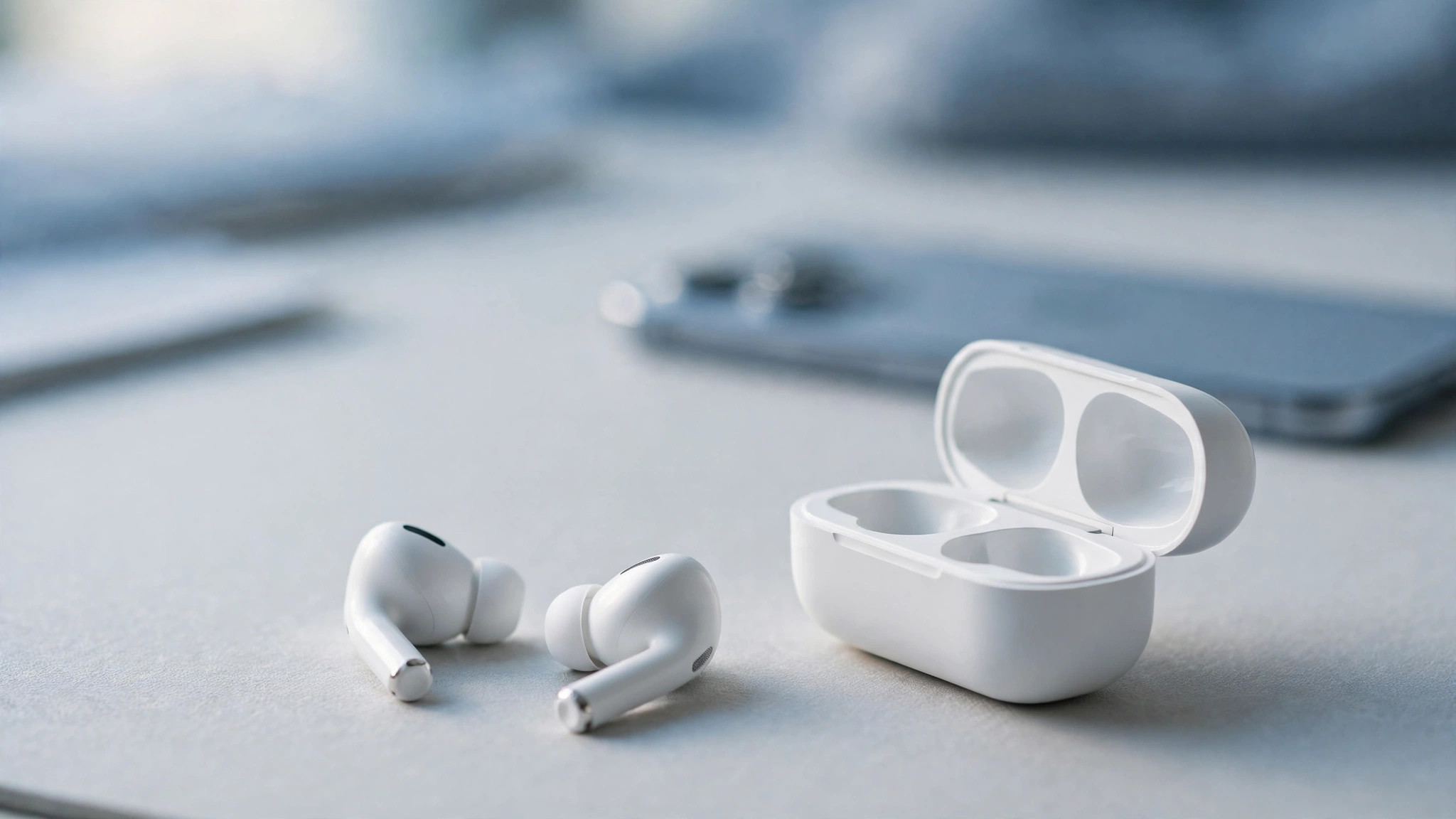
Pick earbuds by fit first, phone second, and noise cancelling third. Everything else is a tiebreaker. Here’s how to choose wireless earbuds without wasting money or ending up with a pair that hurts after an hour.
Shopping for wireless earbuds in 2026 is confusing for a simple reason: almost every pair looks the same in photos, and almost every listing promises the same things. Great sound, great battery, great noise cancelling. Prices, though, run from under $30 to over $250. So what actually changes as you spend more? This guide answers that with a practical framework, not a ranked list. Work through it in order, and you’ll be able to judge any pair on the shelf, including the ones on sale this week.
1. Start With How You’ll Use Them
For example, two people can buy the same earbuds and have completely different experiences. One wears them on a noisy train. The other wears them at a desk. Their priorities should be different too. The first step in how to choose wireless earbuds is knowing your main use.
| Your main use | Top three priorities |
|---|---|
| Commuting and travel | Strong ANC, comfort for long sessions, transparency mode |
| Workouts and running | Secure fit, sweat resistance, stable Bluetooth |
| Calls and remote work | Clear microphones, wind-noise reduction, multipoint |
| Everyday listening | Balanced sound, good battery, comfortable design |
Notice what this does. It stops you paying for features built for someone else’s day. A runner doesn’t need the strongest ANC on the market. A commuter doesn’t need ear hooks. And if calls fill your day, microphone quality matters more than bass depth, every single time.
2. Check Your Phone Before Choosing Wireless Earbuds
Here’s a mistake people make constantly: they check whether earbuds will connect to their phone, and stop there. Almost any Bluetooth earbuds will connect to almost any phone. That’s the easy part. The real question is which features survive the connection.
AirPods and iPhone
In fact, AirPods work best inside Apple’s world. You get automatic pairing, easy switching between iPhone, iPad and Mac, Find My tracking, and features like Live Translation and hearing tools that need an iPhone running iOS 26 or later. Pair AirPods with an Android phone and you still get music and calls, but you lose most of that extra layer.
Samsung earbuds and Android phones
Similarly, the same logic applies on the Android side. Samsung’s Galaxy Buds unlock their full feature set, including certain high-quality codecs, on Samsung phones. On a Pixel or another Android phone, the basics still work, but some settings may only live inside Samsung’s own app. Check before you buy, not after.
If you switch between iPhone and Android
However, some people carry both, or switch phones every couple of years. If that’s you, favour earbuds with a proper companion app on both platforms. Check that EQ settings, ANC controls and firmware updates work on both. And look for multipoint, which lets the earbuds stay connected to two devices at once, so you can take a laptop call without re-pairing. The rule is simple: Bluetooth compatibility is not the same as feature compatibility.
3. Fit Comes First, Seriously
In fact, fit decides almost everything about wireless earbuds. A good seal gives you bass, blocks noise passively, and lets ANC do its job. A bad seal takes all three away at once. This is why two reviewers can disagree wildly about the same pair: one got a good seal, the other didn’t.
Stem, bean or winged: pick a shape
Stem-style earbuds hang a small stalk below your ear. The shape puts the microphones closer to your mouth, which helps calls, and the buds are easy to grab and adjust. Bean-shaped buds sit compactly in the outer ear. They can seal well, but they may press on small ears during long sessions. Winged or hooked designs add a fin that braces against your ear. They are the most stable choice for running, though the extra bulk doesn’t suit everyone, and hooks can clash with glasses. So there is no best shape, only a best shape for your ears.
How to find your tip size
Also, most earbuds ship with three or four tip sizes. Try them all, and don’t assume both ears take the same size. Plenty of people need a medium in one ear and a large in the other. A loose seal sounds thin: bass disappears, outside noise rushes in, and the buds feel like they might fall out. A tip that’s too tight causes pressure or an ache after twenty minutes. The right size feels snug, sounds full, and stays comfortable for an hour. Use the fit test in the companion app if your earbuds have one, and trust your ears too. A correct seal sounds noticeably fuller in the bass.
Silicone tips vs foam-infused tips
Silicone tips are the default. They last, they clean easily, and they slide in and out without fuss. Foam-infused tips, like the ones Apple now ships with AirPods Pro 3 in five sizes from XXS to L, slowly expand to fill your ear canal. On the other hand, they can seal better and isolate more noise passively. The trade-off is maintenance: foam wears out faster than silicone. And a poor fit costs you more than comfort. It weakens bass, because low frequencies leak out through the gaps, and it weakens ANC, because the system has to fight noise that a good seal would have blocked for free.
4. ANC vs Passive Isolation: What Do You Actually Need?
Still, noise cancelling is the feature most people overpay for, and the one they understand least. There are two kinds of quiet, and they do different jobs.
What passive isolation does
Passive isolation is just physics. A well-sealed ear tip blocks some outside sound before any electronics get involved. It costs no battery, and it works on every kind of noise, including voices. In a quiet office or a park, a good seal plus foam tips can be all you need. This is why fit comes before ANC in this guide.
How active noise cancellation works
However, ANC adds microphones and processing. The earbuds listen to the noise around you and play an opposite sound wave to cancel part of it out. It works best on steady, low-frequency noise: aeroplane cabin drone, bus engines, air conditioning hum. It struggles with sudden or high-pitched sounds, like a baby crying or a door slamming. No ANC makes the world silent. The best ones just make the background fade.
When ANC is worth paying extra for
Therefore, pay for strong ANC if you fly often, commute daily on a train or bus, or work in a noisy open office. In those settings the difference between good ANC and great ANC is something you’ll feel every day. If you mostly listen at home or in the gym, mid-range ANC is usually more than enough.
Why ANC decibel claims can mislead you
Brands love a big decibel number. “Reduces noise by up to 32 dB” sounds precise, but it’s usually a peak figure measured at one frequency, in a lab, with a perfect seal. Another brand’s 24 dB might cover a wider range of frequencies in real life. Different brands test differently, so the numbers don’t compare cleanly. Ignore the headline figure and read independent measurements instead.
Why transparency mode matters
Transparency mode does the opposite of ANC: it pipes outside sound in, so you can hear announcements, talk to someone, or stay aware of traffic without taking the buds out. A good transparency mode sounds natural, almost like you’re not wearing earbuds. A bad one sounds hollow or hissy. Test it before you keep a pair, because you’ll use it more than you expect.
5. Sound Quality: Look Beyond the Bass
For example, most buyers judge sound by bass alone, and that’s how they end up with earbuds that thump nicely on one song and sound muddy on everything else. Every pair has a tuning, a house style for how it presents music. Some lean bass-heavy, which suits pop and hip-hop. Others are balanced, which suits podcasts and acoustic music. A few sound bright, with extra treble that can feel sharp on poor recordings. There’s no right answer, only your preference.
Driver size is not the whole story
Still, spec sheets love driver size, the width of the tiny speaker inside each bud. Bigger can mean fuller bass, but tuning and fit matter far more. A well-tuned 10 mm driver with a good seal will beat a poorly tuned 13 mm driver with a leaky seal. That’s a useful rule for how to choose wireless earbuds by sound: judge the pair with your music, in your ears, not by the driver number.
Bluetooth codecs, explained simply
A codec decides how your phone compresses music and sends it to your earbuds. SBC is the basic universal codec that every Bluetooth device supports. AAC is what iPhones use. aptX and aptX Adaptive appear on some Android phones and earbuds, with lower latency. LDAC is a higher-bitrate option on compatible Android devices. LC3 is the newer codec tied to Bluetooth LE Audio. The catch: both your phone and your earbuds must support the same codec, or the connection falls back to SBC. An iPhone with LDAC earbuds still plays AAC. For most buyers, fit, tuning and a stable connection matter more than chasing the fanciest codec on the list. A good companion app with an EQ helps too: it lets you fix a tuning you don’t love, and presets are a nice start.
6. Call Quality: Don’t Judge It Indoors Only
Earbuds are tested for calls in quiet rooms. You will use them on windy streets, in traffic, and in echoey cafés. That’s where cheap and premium earbuds split apart.
What makes earbuds good for calls?
For example, good call earbuds use several microphones per bud, often combined with AI noise reduction, to separate your voice from the noise around you. Microphone placement matters too: stem designs put the mics closer to your mouth. And the real test is consistency. A pair that sounds fine in your living room but turns robotic in the wind isn’t good for calls. It’s good for quiet rooms.
How to check microphone quality before you keep a pair
Look for reviews with outdoor call samples, not just spec claims. Wind and traffic are the honest tests. Listen for two things: does the voice stay clear, and does the noise reduction chop words off or make the voice sound underwater? Over-aggressive noise reduction is a common flaw. It removes background noise by removing parts of your voice too. If calls are your main use, read our companion guide to the best wireless earbuds for calls, which goes deeper on microphone performance. And if your calls happen on video, the audio side pairs with what our webcam buying guide covers on the video side.
Useful features for work calls
Multipoint is the big one: stay connected to your phone and laptop, and switch between them without re-pairing. Easy mute controls matter too, ideally a tap you can hit without looking. And sidetone, hearing a little of your own voice back, stops you shouting on calls. Small features, big daily difference.
7. Battery Life: Read the Fine Print
Similarly, battery claims are the second-most misleading numbers on the box, right after ANC decibels. Two numbers matter, and brands love to blur them. Per-charge life is how long the buds last on one charge: usually 6 to 8 hours with ANC on for good earbuds today. Total life adds the charging case, which refills the buds two or three more times: roughly 24 to 30 hours in total. A “30-hour battery” usually means 8 hours in the buds plus 22 in the case.
What eats battery faster
ANC uses power, because the microphones and processing run constantly. Higher volume uses more power. Long calls use more power than music, because the microphones stay active. Apple’s AirPods Pro 3, for example, run up to 8 hours with ANC on, but that drops to 6.5 hours during workouts with heart-rate sensing active. Test battery life at your normal volume, with your normal settings, not the lab settings.
Charging features worth having
USB-C is the standard now, and it means one cable for your phone and your buds. Wireless charging is convenient on a desk or a nightstand, but not essential. Fast charging is the feature people underrate: a five-minute top-up that buys an hour of listening has saved more commutes than any other spec. Also check that the case shows battery levels clearly, so a dead case never surprises you. And match battery life to your routine. A short commute needs very little. A long-haul flight needs 8 hours per charge plus a case that holds at least one full refill. Start from your longest stretch without the case, and buy for that.
8. Water, Sweat and Staying Power
Earbuds live a rough life. They get sweated on, rained on, dropped, and stuffed into pockets. A pair that sounds great on day one and dies in month six was a bad buy.
How to read an IP rating
The IP rating is two digits. The first is dust protection, the second is water protection. IPX4 means protected against sweat and splashes, which is enough for the gym and light rain. The X just means no dust rating was claimed. IP54 adds dust protection. IP57, the rating on AirPods Pro 3, means dust-protected and safe against immersion in shallow water for a short time. Higher second digit, better water protection. Simple as that. And remember that water resistant is not waterproof. Don’t swim in ordinary earbuds.
Check the case, and think long term
Also, the buds and the case don’t always share a rating. Some cases have no rating at all, which means sweat or rain on the charging contacts can cause problems over time. Wipe the buds dry before they go back in the case, especially after a workout. It’s a small habit that adds months to a pair’s life. Earbud batteries can’t usually be replaced, so after a few years of daily use, battery life will drop noticeably. Check the warranty, check whether replacement tips are easy to buy, and check how the brand handles a single lost bud. A pair you can keep going for three years beats a flashier pair that becomes e-waste in eighteen months.
9. How Much Should You Spend?
In fact, you don’t need to spend $250 to get good earbuds. But the price tiers do buy real differences. The last step in how to choose wireless earbuds is matching the price to the features you’ll actually use.
Budget: under $50
Expect decent sound, basic battery life, and little or no ANC. Call quality is hit and miss. Budget buds are fine as a backup pair, a gym pair you don’t mind losing, or a first pair while you learn what matters to you. What you usually give up: strong ANC, a good app, and reliable microphones.
Mid-range: $50 to $150
This is the sweet spot for most people. ANC gets genuinely useful, companion apps get proper EQs, multipoint appears, and call quality improves a lot. A $100 pair with excellent fit, reliable multipoint and good microphones can be a better buy than a heavily discounted flagship whose extra features you’ll never use. Compare pairs at the same price, not just across prices.
Premium: $150 and up
The extra money buys more refined ANC, better microphones, better materials and fit options, and ecosystem features like spatial audio or health sensors. Whether that’s worth it depends entirely on your use. A daily commuter who flies monthly will feel the difference. A home listener probably won’t. And don’t pay for features you won’t use. An Android user paying extra for Apple-only features is wasting money. A home listener paying for flight-grade ANC is wasting money.
When a discount changes the maths
A genuine discount can make a premium pair the best value on the shelf. But check the price history first: was it really $249 last month, or is the “sale” price the normal price with a crossed-out number next to it? Then compare the discounted flagship against current mid-range models at the same price. Sometimes the mid-range pair still wins, because its features are current while the flagship’s are a year old.
10. AirPods Pro 3: A Useful Benchmark for Premium Earbuds
Instead of ranking products, let’s use one current flagship as a measuring stick. Apple’s AirPods Pro 3 are the best-known premium earbuds of 2026, and they show what “premium” actually means right now. They’re not the right pick for everyone. That’s exactly why they’re a useful benchmark. If you know how to choose wireless earbuds by the framework above, the AirPods Pro 3 become a measuring stick, not a default answer.
AirPods Pro 3 key specifications
Apple announced AirPods Pro 3 on 9 September 2025, priced at $249, with availability from 19 September 2025. They run on Apple’s H2 chip and, according to Apple’s official announcement, remove up to twice as much noise as AirPods Pro 2. The headline features: a built-in heart-rate sensor for workouts, Live Translation in beta, IP57 dust and water resistance, up to 8 hours of listening with ANC on, up to 24 hours total with the case, and five foam-infused ear-tip sizes from XXS to L. It reads your pulse during workouts and feeds the Fitness app, tracking up to 50 workout types without an Apple Watch.
The Black Friday price example
This is the week to watch prices. Amazon sold AirPods Pro 3 for $149 on 23 November 2026, a full $100 under Apple’s $249 list price, according to deal tracking from the same week. Apple itself is offering a $50 gift card with purchase from 27 to 30 November, not a price cut, so the Amazon price is the better deal by a clear margin. Prices move fast during Black Friday week, so check the current price before you buy, and compare it against the mid-range options at the same money.
Who should consider them, and who shouldn’t
Overall, they’re a strong option for iPhone users who want premium ANC and Apple’s ecosystem features, including the hearing-health tools. Android users should check which features survive the switch, because several headline features need an iPhone. And if you don’t need premium ANC, heart-rate sensing or live translation, a mid-range pair will give you nearly the same daily experience for roughly half the money.
11. Your First-Week Test
Here’s the part most guides skip: a way to check your choice while you can still return it. Use the retailer’s return window like a test drive. One check per day, seven days, and you’ll know whether to keep the pair.
- Day 1: Fit and comfort. Try every included ear-tip size. Walk around with the buds in. Wear them for 30 to 60 minutes. Watch for pressure, pain or a loose seal.
- Day 2: ANC and transparency. Compare ANC on and off, in a quiet room and somewhere noisy. Check whether transparency sounds natural or hollow.
- Day 3: Sound quality. Play songs you know well, across different genres. Try the EQ. Check whether bass sounds muddy or vocals sound clear.
- Day 4: Calls. Make one call indoors and one outdoors. Check wind and traffic performance, and ask the other person how you sound.
- Day 5: Battery life. Use your normal volume with ANC on. Compare what you actually get against the advertised figure.
- Day 6: Connectivity. Switch between phone and laptop. Test multipoint if it’s supported.
- Day 7: Decide. Are they comfortable? Do they meet your main use? Are the features reliable? Is the price justified? If the answer to any of those is no, send them back. A better pair exists.
12. Who Should Skip Premium Wireless Earbuds?
Premium earbuds are excellent. Still, they’re also unnecessary for a lot of people. If you mainly listen at home, a budget or mid-range pair gives you all the sound quality and battery life you need. Your living room isn’t a plane cabin. If you rarely use ANC, because your days are mostly quiet, strong noise cancellation doesn’t justify the extra cost. And if comfort, long battery life or immersive listening matter more than portability, consider over-ear headphones instead. They cost similar money, last longer per charge, and many people find them more comfortable for all-day wear. Earbuds win on portability and discretion. Over-ears win on almost everything else. Like our AI smart glasses guide, the point here is matching the gadget to your day, not buying the most expensive option.
13. The Buying Checklist
Save this list and run through it before you pay: does the fit feel secure and comfortable for an hour? Do the important features work with my phone? Is the ANC strong enough for my environment? Does transparency mode sound natural? Is battery life enough with ANC switched on? Are the microphones good enough for my calls? Is the IP rating right for my activities? Does the price make sense against the alternatives? And can I return them if the fit or performance disappoints? If you can answer yes to all nine, you’ve found your pair.
Frequently Asked Questions
Are expensive wireless earbuds worth it?
For heavy daily use, yes: better ANC, microphones and fit are real upgrades. For occasional listening at home, no. A mid-range pair covers that easily.
Are wireless earbuds better than wired earbuds?
Wireless wins on convenience: no cable, easy switching between devices, and features like ANC and transparency. Wired wins on price, sound quality per pound spent, and never needing a charge.
Do Bluetooth codecs make a noticeable difference?
For most people, no. Fit, tuning and a stable connection change the sound far more than the codec does. Codecs matter mainly to listeners who use high-quality streaming and matched hardware on both ends.
How long should wireless earbuds last?
Expect two to three years of daily use before battery life fades noticeably. The buds themselves usually outlast their batteries, since the batteries can’t be replaced.
Can I use any wireless earbuds with any phone?
For basic music and calls, yes: Bluetooth is universal. But brand-specific features, like automatic device switching, hearing tools or live translation, often need the matching phone. Check the feature list, not just the Bluetooth logo.
The Bottom Line
That’s how to choose wireless earbuds: fit first, phone second, noise cancelling third. Test them properly in the first week. And remember that the right price is the one that matches the features you’ll actually use, not the one with the biggest crossed-out number next to it. Buy the pair that passes your week, not the pair that wins the spec sheet. Your ears will tell you the truth faster than any review can.